A tour of your collection
Browse your collection with the cover carousel, filters and search the way you flip through records.
Your collection lives here, and browsing it works the way flipping through records does.
Every button, labelled
Know your app
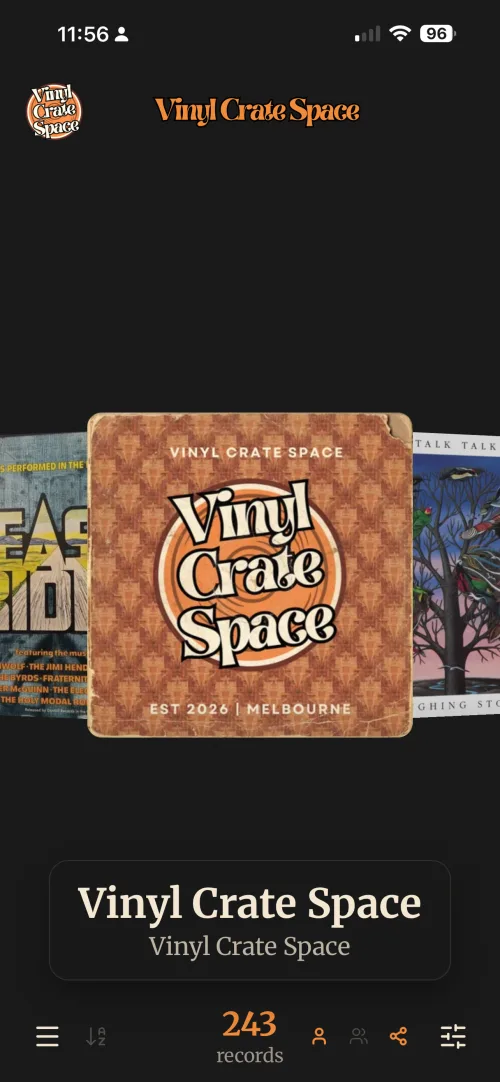
Sort A to Z by artist.
Count Records in view, so it changes with your filters.
Whose records On a shared plan: yours, theirs, or the shared ones.
Cover carousel Swipe left and right to flip through.
Tap a cover Opens the record in full, everything you have on it.
Menu Add Record, Wishlist, Locations, Crates, Genres, Tags, Notes, Listens, Preferences.
Filters Search your records, or narrow what's showing.
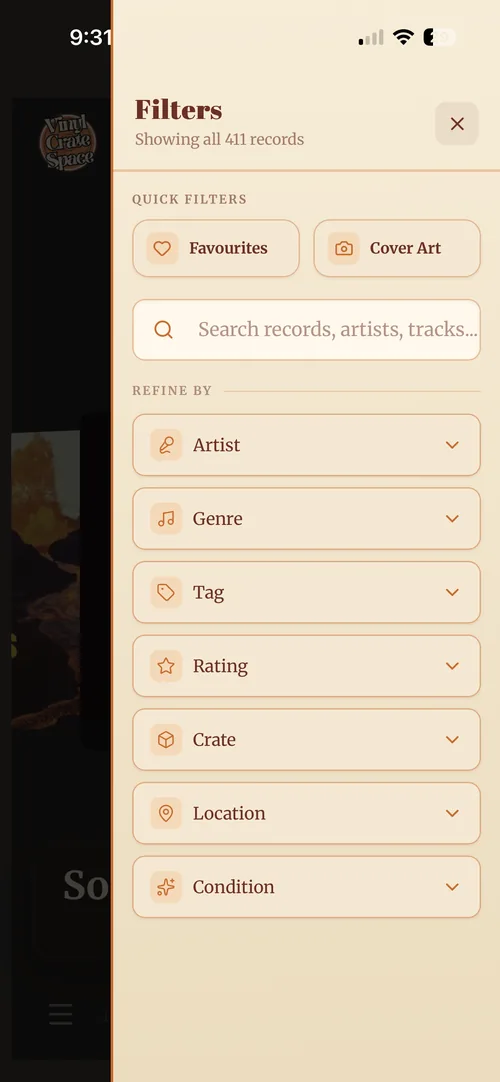
Running total Moves as you add filters.
Close Back to your covers.
Quick filters Favourites and cover art, one tap each.
Search By record title or artist.
Refine by Artist, genre, tag, rating, crate, location, condition.
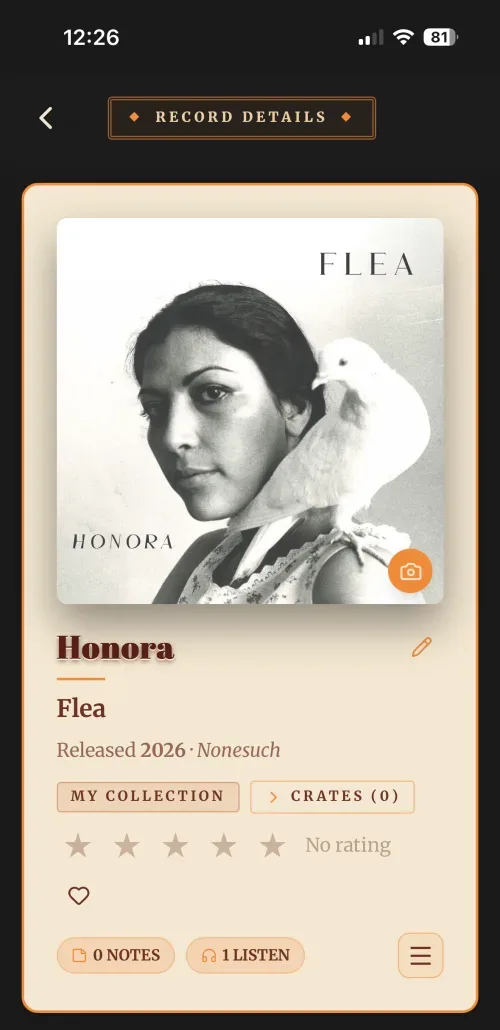
Notes What you've written about it.
Listens Every play you've logged.
More Add a note, add or remove a crate, listen to the record.
Back To your covers, where you left off.
Change the cover Photograph your own copy.
Edit the record Title, artist, year and label.
Whose collection The member this record belongs to.
Crates The crates it sits in. Tap to file it in one.
Rate it Five stars, or heart it as a favourite.
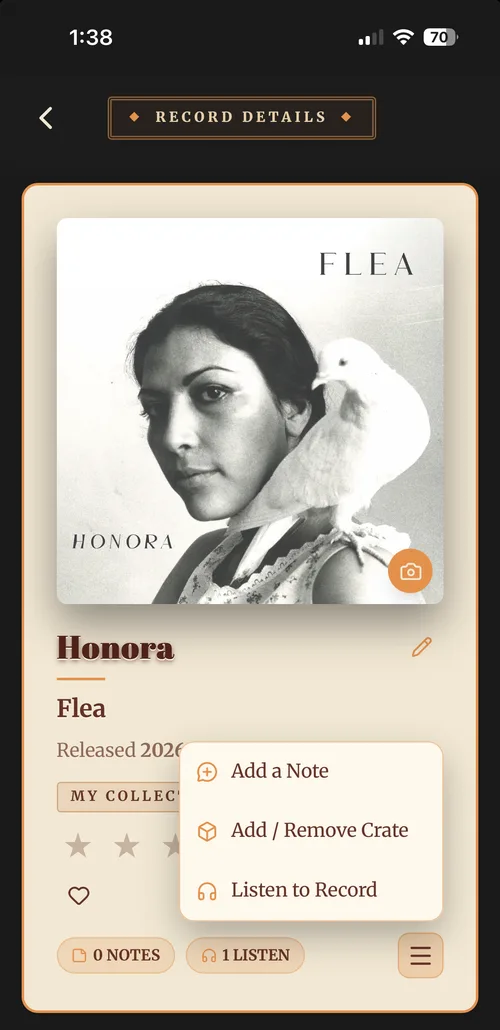
Add a Note Write something about this record.
Add / Remove Crate File it in a crate, or take it out of one.
Listen to Record Log a play, with the date and who listened.
The menu button Bottom right of the record's card. This is what opens it.
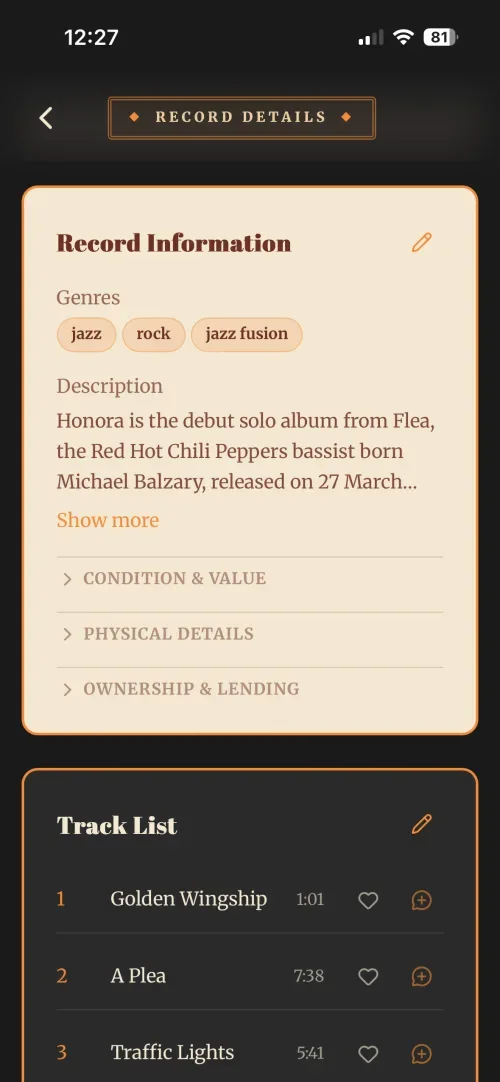
Edit everything else Genres, tags, description, location, condition, physical details, lending.
Genres and tags How you group and label this record.
Description What the record is. Show more opens the rest.
Only what's filled in A group appears once it holds something, so the card stays clean.
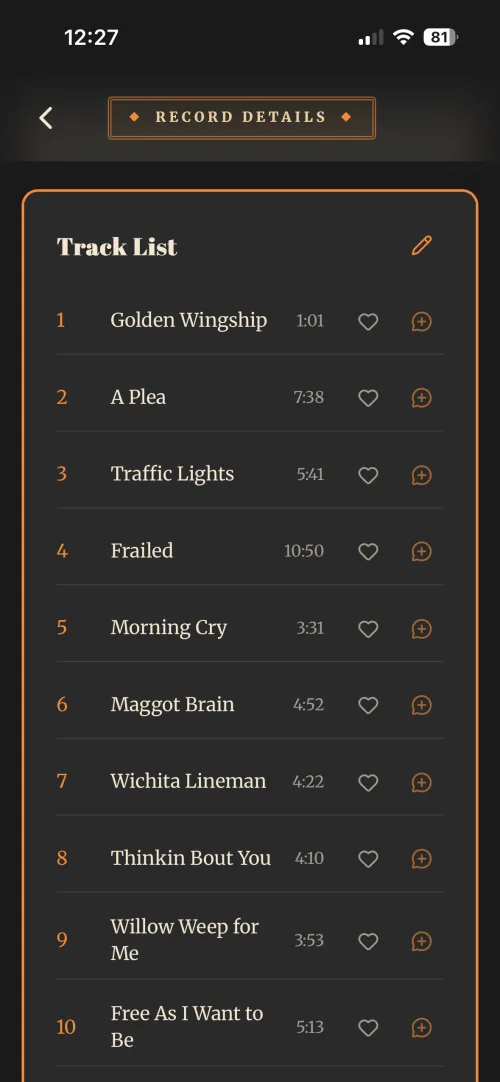
Edit the tracks Titles, times and running order.
Running order Numbered as they play, each with its length.
Favourite a track The heart marks a standout, not the whole record.
Note a track The plus writes a note about that song alone.
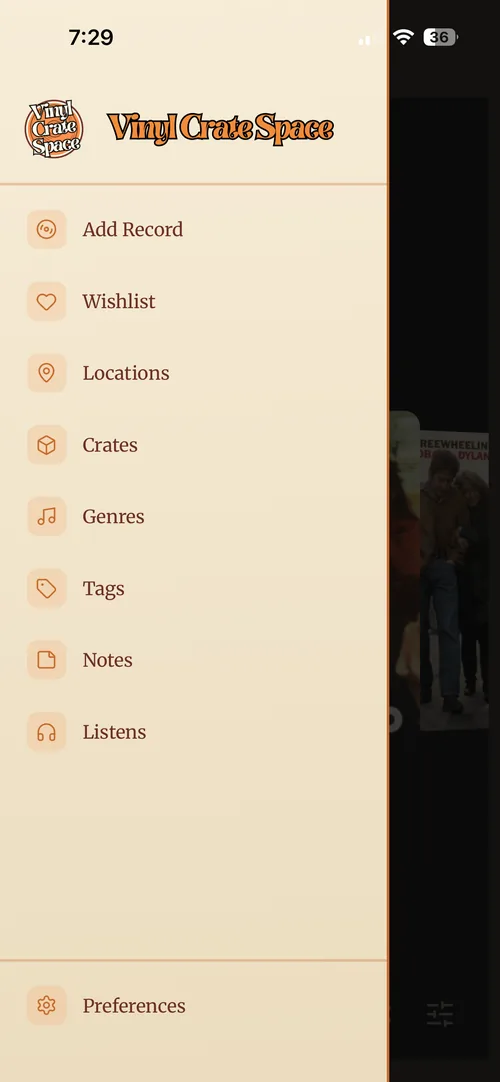
Add Record Photo, upload, search or by hand.
Wishlist The records you're hunting.
Locations Where a record sits on your shelves.
Crates Create your own crates.
Genres Add, rename or remove genres.
Tags Your own labels, any way you like.
Notes Every note you've added.
Listens Every play you've logged.
Preferences Update, change or view your account.
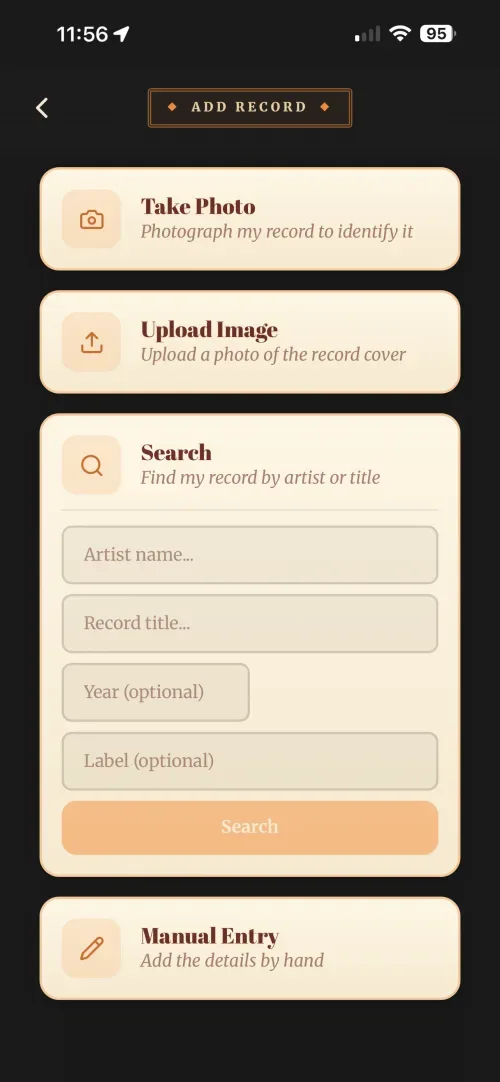
Take Photo Photograph the cover and let it fill in.
Upload Image A shot you already have works too.
Search Find it by artist or title instead.
Manual Entry Type it in when nothing else finds it.
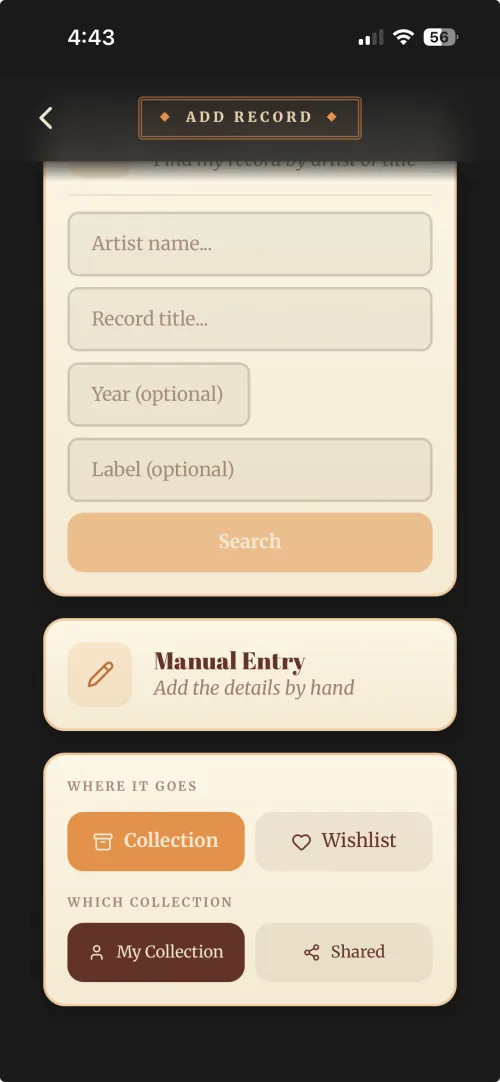
Collection Straight into your crate, filed and counted.
Wishlist The hunt list, for records you do not own yet.
Which collection On Duet and Band: your own, or the household's shared one.
Shared Everyone on the plan sees it and can edit it.
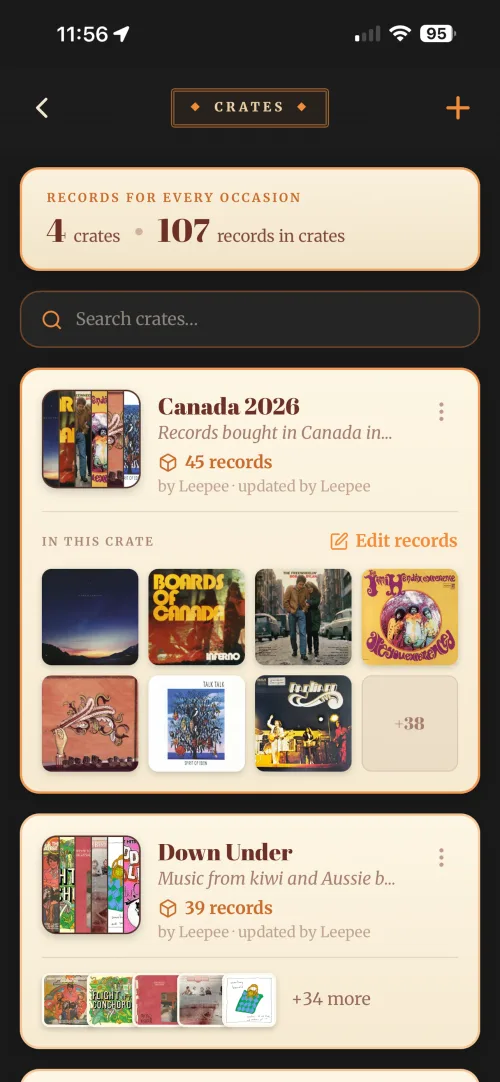
Add (+) Start a new crate.
What's in here Crates, and records in them.
Search this screen Filters only what's in front of you.
Kebab menu Rename or delete. The records stay in your collection.
Record count How many sit in this crate.
Edit records Add or remove records from a crate.
Cover stack What is in the crate, at a glance.
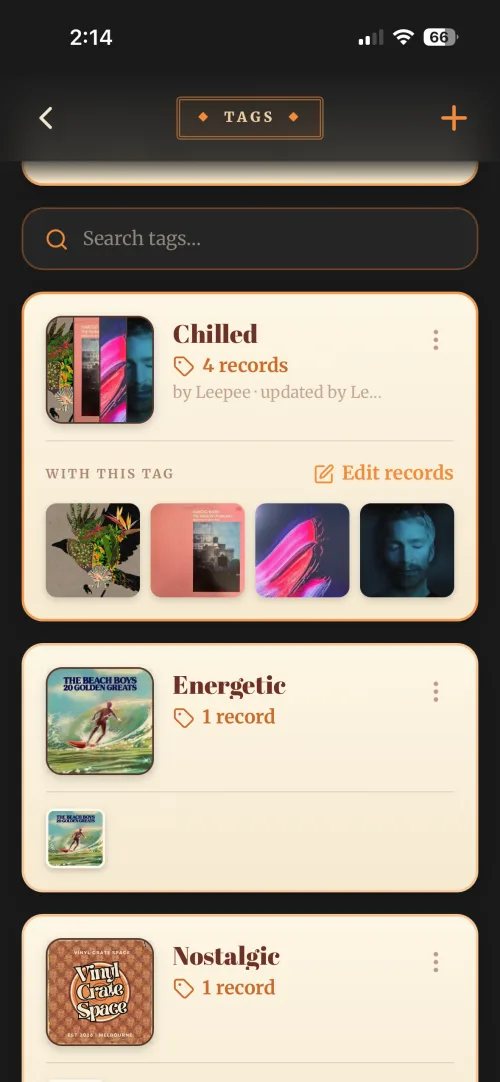
Add (+) Make a tag: a name, and a description if you want one.
Search your tags Filters only what's on this screen.
Kebab menu Rename or delete. The records themselves stay put.
Record count How many records wear this tag.
Edit records Add or remove records from a tag, several at a time.
Cover stack What's tagged, at a glance.
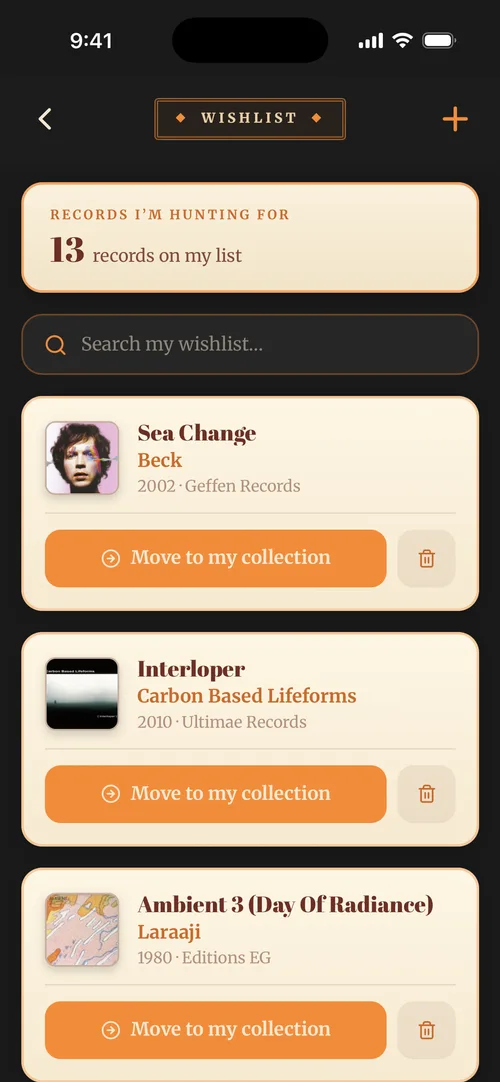
Add (+) Put another record on the hunt list.
What I'm hunting How many records are on the list.
Search my wishlist Looks only at what you're hunting.
The record Artist, year and label, already filled in.
Move to my collection Found it at last? One tap files it.
Remove Gave up on it, or found it elsewhere.
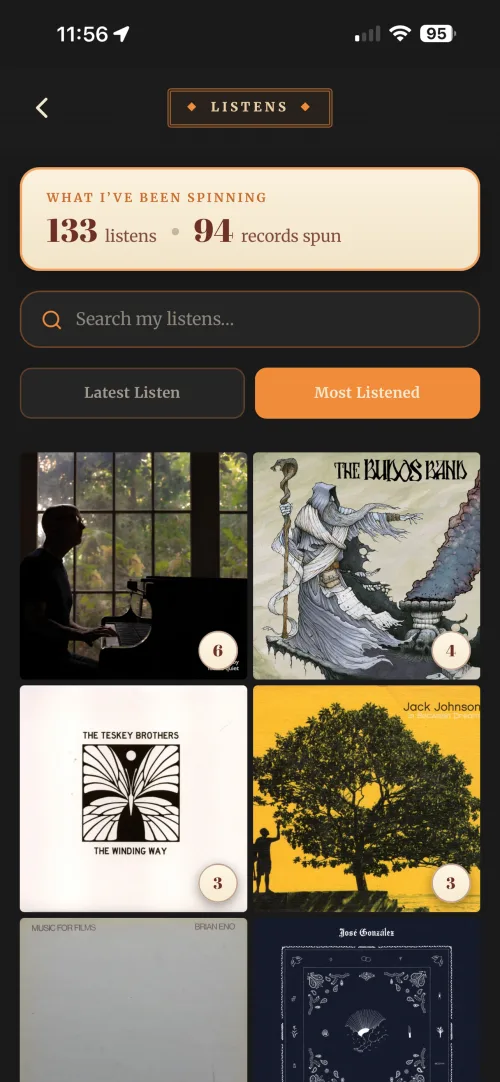
What I've been spinning Listens logged, records spun.
Search my listens By record, artist or listener.
Latest or most Sort the wall either way.
The wall Every record you've logged, by cover.
Listen count Tap a cover for its full history.
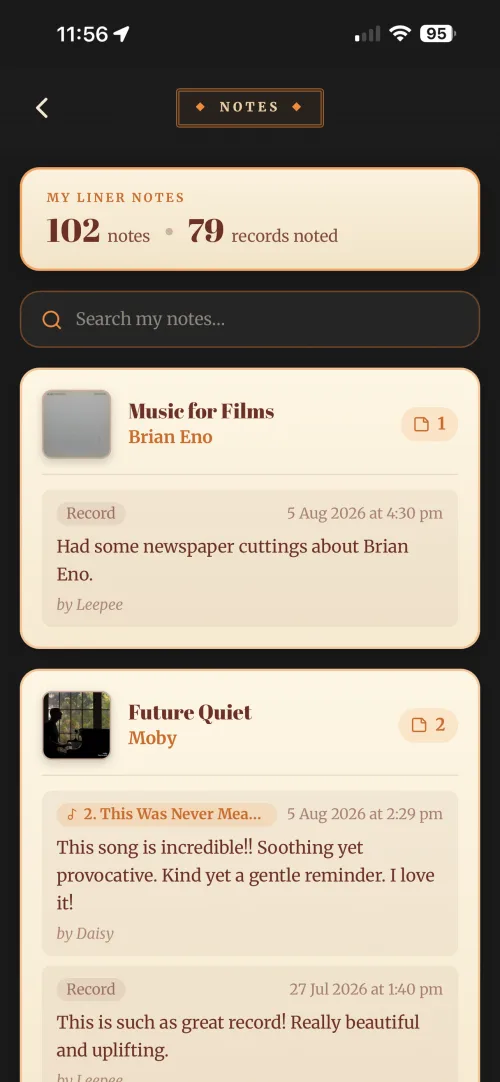
My liner notes Notes written, records noted.
Search my notes Looks inside the words you wrote.
Note count How many notes on this record, newest first.
What it's about A whole record, or one track.
Who wrote it Handy on a shared Duet or Band.
Note on a track It names the song the note is about.
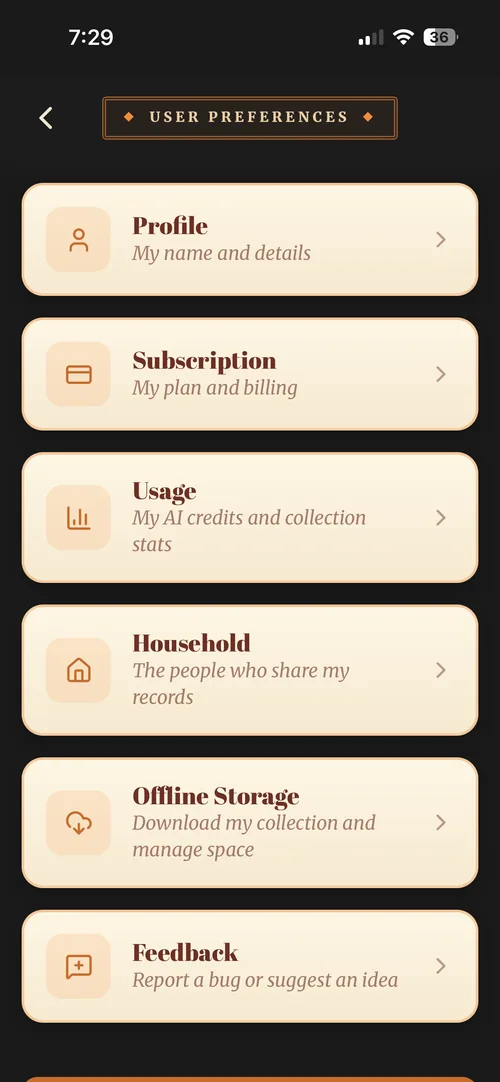
Profile Your name and details.
Subscription Your plan and billing.
Usage AI Credits left, and collection stats.
Household The people who share your records.
Offline Storage Download your collection, manage space.
Feedback Report a bug or suggest an idea.
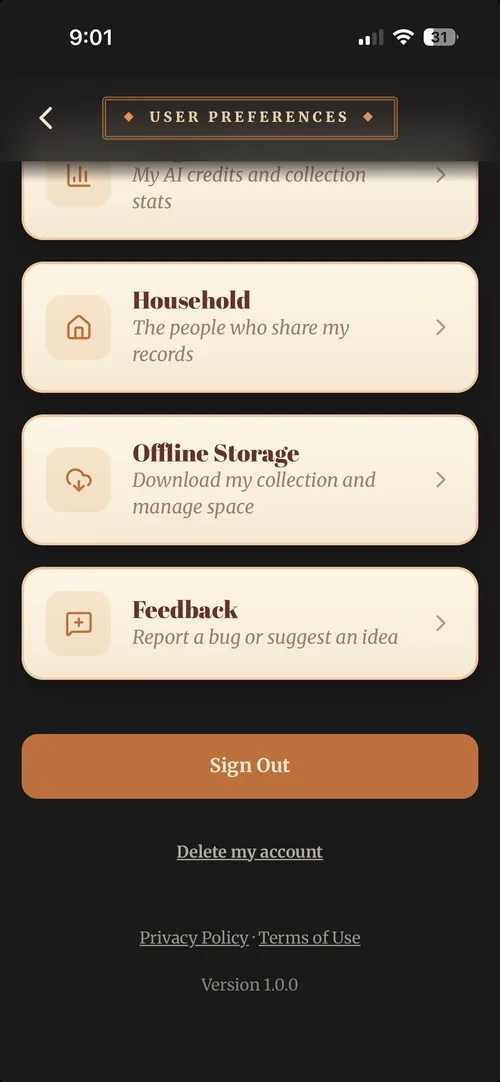
Sign Out Just this device. Your collection stays put.
Delete my account Asks you to type your email first, so nobody does it by accident.
The legal bit Privacy policy and terms, straight from the app.
Version Worth quoting if you ever report a bug.
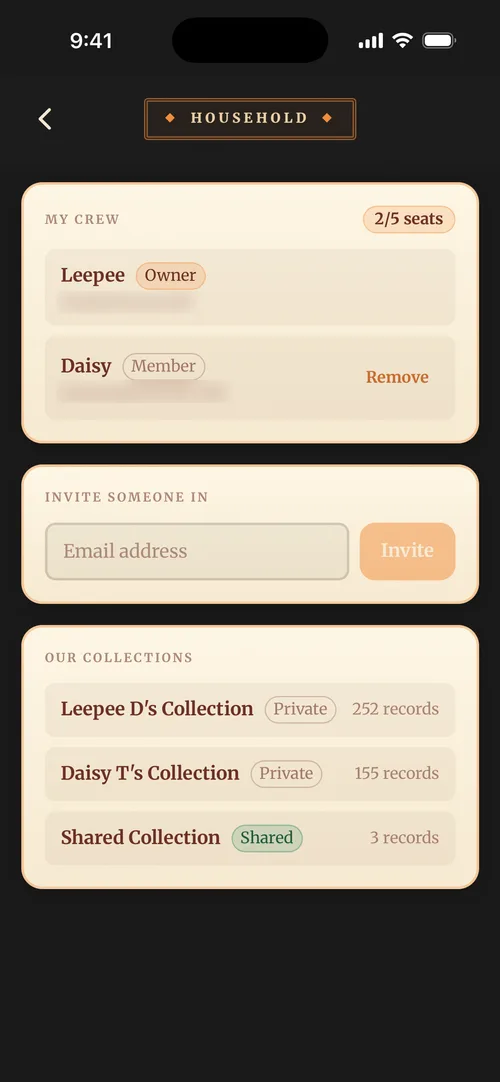
My crew Everyone on the plan.
Seats Two on Duet, up to five on Band.
Remove They leave, and their records go with them.
Invite someone in Their email address, then Invite.
Our collections Yours, theirs, and the shared one.
Shared The records everyone can reach.
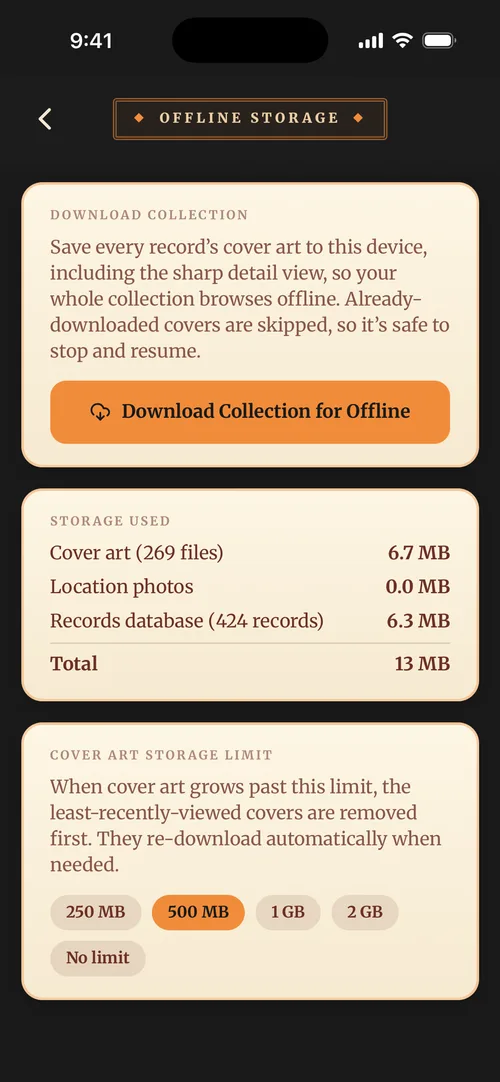
Download collection Every cover saved to this device.
The button Safe to stop and resume, it skips what it has.
Storage used Covers, location photos and the records.
Total What the whole thing takes up.
Storage limit Past this, the oldest covers make way.