Tracking your listens
Log every play and rediscover the records you'd forgotten.
Every time you play a record, you can log it.
- Open the record and tap the menu button in the bottom right corner of its card, next to the notes and listens counts.
- Choose Listen to Record, then Start Listening to confirm.
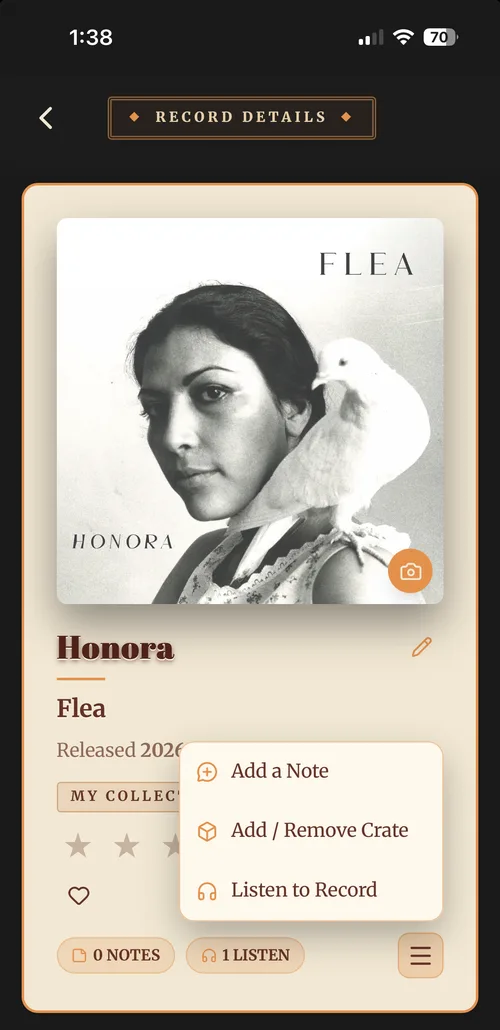
Each play is saved with the date and who listened, so your history builds up over time, browse it any time from Listens in the menu, where your records line up as a wall of covers you can tap into.
It’s a small habit that changes how you use your collection. The records you’d forgotten start finding their way back to the turntable.